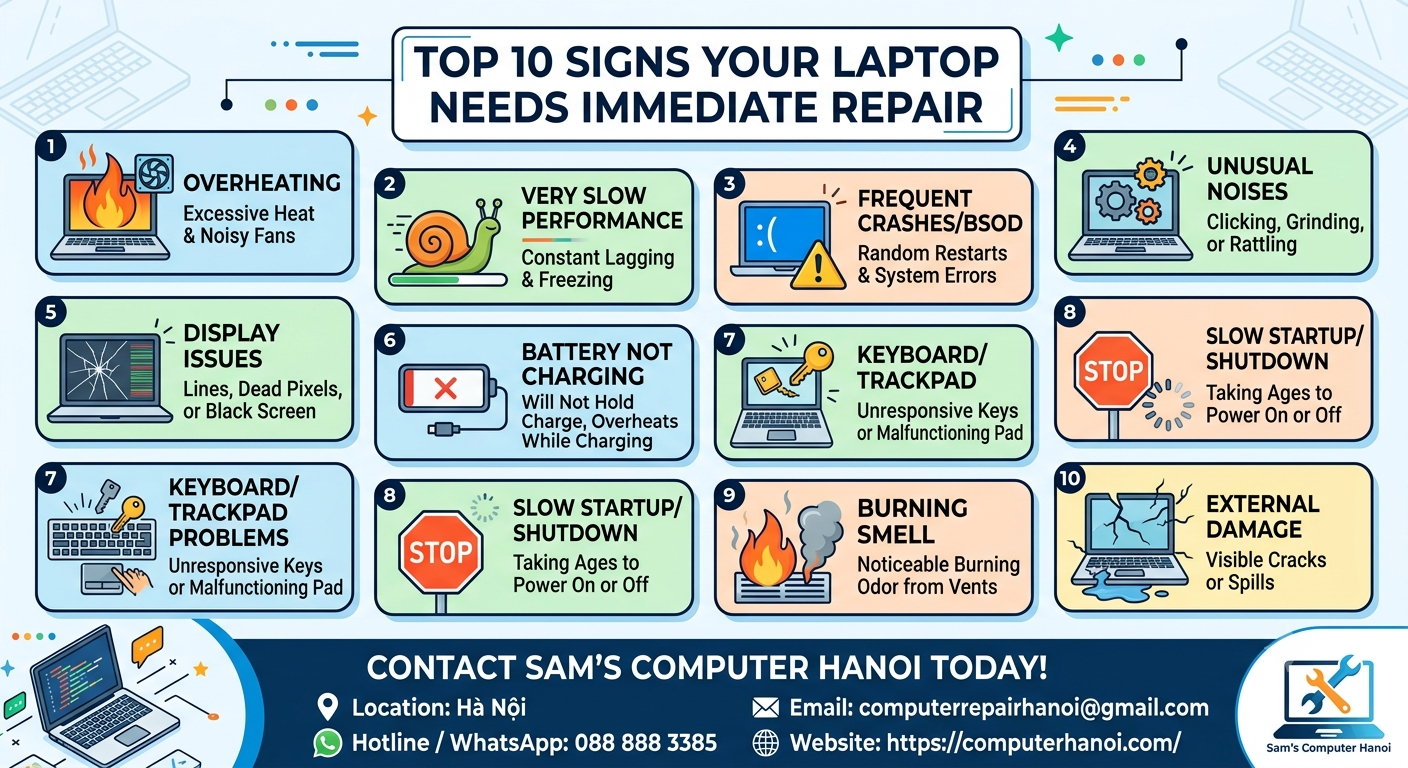
Top 10 Signs Your Laptop Needs Immediate Repair
Top 10 Signs Your Laptop Needs Immediate Repair – Don’t Wait Until It Completely Fails
Is Your Laptop Trying to Warn You?
Your laptop is one of the most important tools in your daily life. Whether you are working remotely, running a business, studying, or staying connected with family and friends, a laptop problem can quickly become a major disruption.
Unfortunately, many people ignore the early warning signs until their device suddenly stops working altogether. What starts as a small issue can turn into an expensive repair or even permanent data loss.
If you live in Hanoi, especially in areas such as Tây Hồ (West Lake), Ba Đình, Cầu Giấy, Mỹ Đình, Hà Đông, Goldsilk City, La Casta Tower, Ciputra, or Vinhomes Smart City, recognizing these warning signs early can save you time, money, and stress.
Here are the Top 10 Signs Your Laptop Needs Immediate Repair.
1. Your Laptop Is Running Extremely Slow
Has your laptop become frustratingly slow?
Common symptoms include:
- Applications take forever to open
- Web pages load slowly
- Frequent freezing
- Long startup times
This could indicate:
- Failing hard drive
- SSD issues
- Insufficient RAM
- Malware infection
- Overheating problems
Ignoring performance issues often leads to bigger hardware failures later.
2. The Laptop Overheats Frequently
Vietnam’s hot and humid climate can be particularly tough on laptops.
Signs of overheating include:
- Bottom of the laptop becomes very hot
- Loud cooling fan noise
- Sudden shutdowns
- Reduced performance
Excessive heat can damage:
- Motherboard
- CPU
- Graphics chip
- Battery
A professional internal cleaning and thermal maintenance service can often solve the problem before permanent damage occurs.
3. Strange Noises Coming from the Laptop
A healthy laptop should operate quietly.
Warning sounds include:
- Clicking noises
- Grinding sounds
- Buzzing noises
These may indicate:
- Failing hard drive
- Damaged cooling fan
- Internal hardware problems
If your hard drive is clicking, seek professional help immediately because your data may be at risk.
4. Battery Drains Much Faster Than Before
Does your laptop battery drop from 100% to 20% within a short period?
Common causes include:
- Aging battery cells
- Charging system issues
- Power management problems
A failing battery can eventually swell and damage internal components.
5. Your Screen Is Flickering or Showing Lines
Screen issues should never be ignored.
Common symptoms:
- Flickering display
- Vertical or horizontal lines
- Black spots
- Screen brightness fluctuations
Possible causes:
- Damaged LCD panel
- Loose display cable
- Graphics chip problems
Early diagnosis can prevent complete screen failure.
6. The Laptop Suddenly Shuts Down
Unexpected shutdowns are one of the most serious warning signs.
Potential causes include:
- Overheating
- Power supply failure
- Motherboard issues
- Battery malfunction
If your laptop powers off without warning, immediate inspection is recommended.
7. Wi-Fi Keeps Disconnecting
Many users assume Wi-Fi problems are caused by their internet provider.
In reality, the issue may be:
- Faulty wireless card
- Driver corruption
- Internal hardware failure
If other devices connect normally but your laptop struggles, professional troubleshooting is needed.
8. The Keyboard or Touchpad Stops Responding
Common symptoms:
- Missing keystrokes
- Sticky keys
- Unresponsive touchpad
This can result from:
- Dust accumulation
- Liquid damage
- Internal connector failure
Fast repair can prevent additional component damage.
9. Unusual Error Messages Appear Frequently
Warning messages often indicate deeper system issues.
Examples include:
- Blue screen errors
- Boot failures
- System crashes
- Storage warnings
Many users ignore these messages until the laptop becomes unusable.
Early diagnosis can save both your system and your files.
10. Your Laptop Won’t Turn On
This is the final warning sign that many users encounter.
Potential causes:
- Motherboard failure
- Power circuit damage
- Faulty charger
- Dead battery
Do not repeatedly attempt to power on the device, as this can worsen the problem.
Professional diagnostics should be performed immediately.
Why Fast Repairs Save You Money
Many laptop problems become significantly more expensive when ignored.
For example:
| Early Repair | Delayed Repair |
|---|---|
| Fan cleaning | Motherboard replacement |
| Battery replacement | Battery swelling damage |
| SSD replacement | Complete data loss |
| Screen cable repair | Full screen replacement |
The earlier a problem is detected, the lower the repair cost is likely to be.
Trusted Laptop Repair Services in Hanoi
At Computer Hanoi, we help local residents, expats, remote workers, and business owners keep their devices running smoothly.
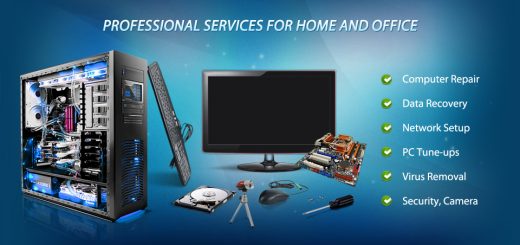
Our Services Include:
✔ Laptop Repair
✔ MacBook Repair
✔ SSD & RAM Upgrades
✔ Virus Removal
✔ Data Recovery
✔ Screen Replacement
✔ Battery Replacement
✔ Windows & macOS Installation
✔ On-Site Pickup & Delivery Service
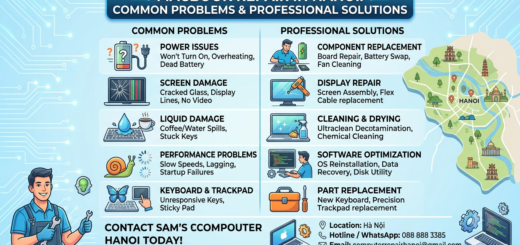
Contact Sam’s Computer Hanoi Today
📍 Location: Hà Nội
📞 Hotline / WhatsApp: 088 888 3385
📧 Email: computerrepairhanoi@gmail.com
🌐 Website: https://computerhanoi.com/
We provide professional computer, laptop, and MacBook repair services throughout Hanoi, including Tây Hồ, Cầu Giấy, Mỹ Đình, Hà Đông, Ciputra, Goldsilk City, La Casta Tower, and Vinhomes Smart City.